
Claude Instagram Agent Skill: Free Setup Guide for 13 Skills
A free pack of Claude skills that does the prep work behind an Instagram account: research, Reel scripts, captions and reply drafts. Here’s what it really does, how to install it and a first-week plan you can follow.
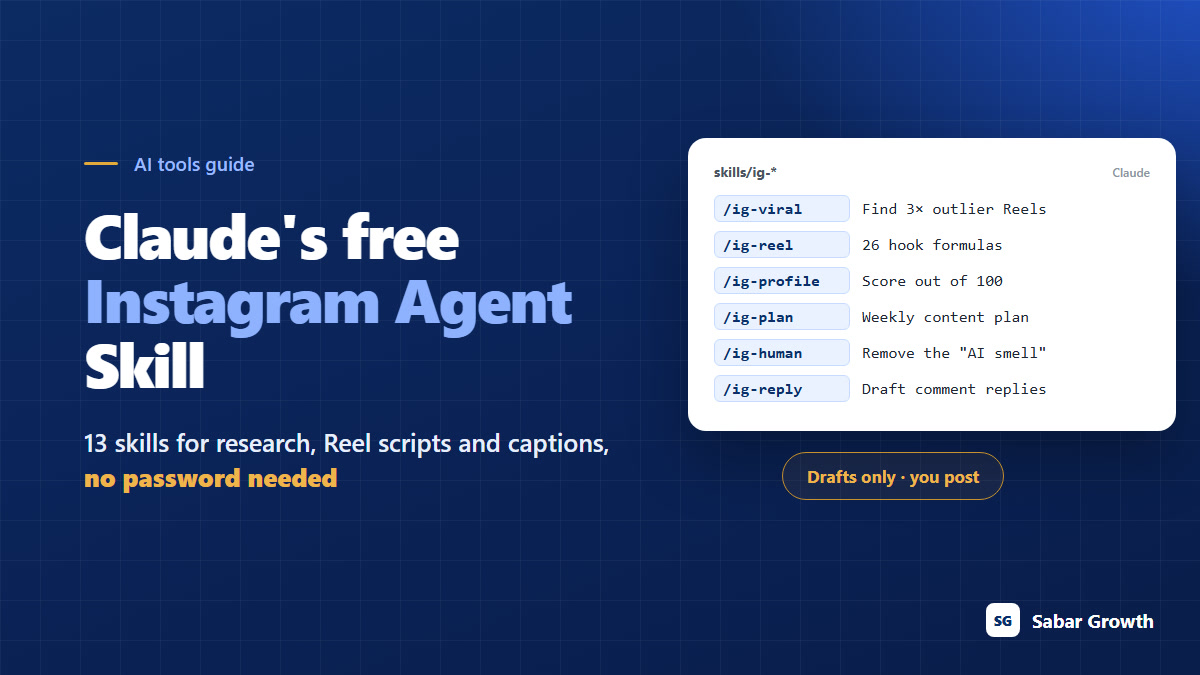

Running an Instagram account takes a lot of quiet prep work: checking what competitors post, planning the week, writing Reel scripts, fixing captions and replying to comments. The Claude Instagram Agent Skill is a free pack of 13 Claude skills that handles that prep for you.
A “skill” is a set of instructions, sometimes with small helper scripts, that teaches Claude to do one job the same way every time. This pack was made by Jake Schincariol and shared free on GitHub under the MIT licence. In this guide you’ll learn what each skill does, what it doesn’t do, how to install it and how to use it in your first week.
Good to know
The skill never logs in to Instagram, never asks for your password and never posts anything. It writes drafts. You check them and post them yourself.
What the Instagram Agent Skill does (and doesn’t)
| It does | It doesn’t |
|---|---|
| Find Reels doing far better than usual in your niche | Post anything to your account |
| Write Reel scripts from 26 hook formulas and score the hook | Ask for your password or log in for you |
| Plan captions, carousels, stories and your week | Send replies or DMs (it drafts them) |
| Score your profile out of 100 | Scrape Instagram in the background |
| Rewrite text that sounds like AI | Guarantee followers or reach |
All 13 Claude skills for Instagram
You run each skill with a slash command, for example /ig-reel followed by your idea.
| Command | What it does |
|---|---|
/ig-reel |
Turns one idea into a Reel: three scored hooks, a script, on-screen text and a timed beat sheet |
/ig-viral |
Finds standout posts in your niche and builds a swipe file |
/ig-caption |
Checks a caption and shows what people see before “more” |
/ig-carousel |
Plans a swipe post: cover, slide copy and 1080×1350 image files |
/ig-story |
Lays out a daily story sequence and a DM funnel |
/ig-profile |
Scores your profile out of 100 and fixes the weakest parts first |
/ig-plan |
Builds a weekly plan: what to post, format, timing and accounts to engage with |
/ig-human |
Cleans AI-sounding text and checks the result |
/ig-comment |
Drafts thoughtful comments for other people’s posts |
/ig-reply |
Sorts the comments on your post and drafts replies |
/ig-dm |
Drafts DMs: keyword replies, first messages and collab pitches |
/ig-repurpose |
Turns one video, podcast or newsletter into a week of posts |
/ig-audit |
Reviews your published posts to show what worked |
How /ig-viral finds outlier Reels
Raw views are misleading. A big account gets big views on an ordinary day. So the skill compares each Reel with that account’s own recent median views. That shows you which idea actually worked.
Example
An account usually gets 10,000 views. One Reel gets 40,000. 40,000 ÷ 10,000 = 4×, so it’s an outlier worth studying.
- Under 1.5×: a normal day for that account
- 1.5× to 3×: doing well
- Over 3×: a real signal. Copy the structure, not the video
There’s no Instagram API involved. Claude reads posts through a browser tool you already use, at human speed, or you paste the numbers in. The skill is designed for about ten accounts, about once a month.
Important
Collecting data in bulk breaks Instagram’s Terms of Use and can get your account blocked. The skill itself warns against building crawlers or using scraping services.
How to install the Claude Instagram Agent Skill
There are two ways to install it. Pick the one that matches how you use Claude.
Option A: Claude Code (the full pack)
This gives you all 13 skills plus their five helper scripts. It needs Claude Code, which comes with a paid Claude plan, and Python 3 on your computer. The easiest way is to paste this into Claude Code:
Prompt for Claude Code
Install the skills from https://github.com/Jakeschincariol/instagram-agent-skill and confirm /ig-reel works.
Or install it as a plugin, one command at a time:
Claude Code commands
/plugin marketplace add Jakeschincariol/instagram-agent-skill
/plugin install instagram-agent
Option B: the Claude app (web or desktop)
No terminal needed. Pasting the GitHub link into a normal chat does not install anything here. You upload each skill as a ZIP file instead:
- Open Settings → Capabilities and turn on code execution (“Code execution and file creation”, or “Create and edit files” in the newer layout). Skills don’t work without it.
- On the GitHub page, click Code → Download ZIP and unzip it.
- Open the
skillsfolder and zip one skill folder at a time, for exampleig-reel. Keep the folder name as it is. - In Claude, go to Customize → Skills → + → Create skill → Upload a skill, choose the ZIP and turn it on.
- Repeat for the skills you want. A good start is
ig-profile,ig-plan,ig-reelandig-human.
Tip
Read the files before you turn them on. This is community code. It’s mostly plain-text instructions, and the five Python scripts make no network calls. Always install from the original repository, not a copy.
Set up your voice file first
Every skill reads a file called voice.md: how you talk, who you talk to and words you’d never use. Skip it and the drafts sound generic. Fill it in and they sound like you.
- Find the template at
templates/voice.mdin the repository. - Fill it in yourself (about ten minutes), or give Claude the scripts of three of your own Reels and ask it to write the file for you.
- Save it as
~/.claude/instagram/voice.mdin Claude Code. In the Claude app, paste it at the start of your chat or into a Project’s instructions.
Your first week with the skill
| Day | Skill | What to do |
|---|---|---|
| Day 1 | /ig-profile |
Get your score. Fix the bio and highlights first. |
| Day 2 | /ig-viral |
Study about ten accounts in your niche. Note the 3× posts. |
| Day 3 | /ig-plan |
Plan the week: what, which format and when. |
| Day 4 | /ig-reel |
Script your first Reel and pick the best of three hooks. |
| Day 5 | /ig-carousel |
Turn the same idea into a carousel. |
| Day 6 | /ig-human |
Clean every caption, then post them yourself. |
| Day 7 | /ig-reply |
Draft replies to comments. Read, adjust and send them yourself. |
Limits to know before you rely on it
- The hook scorer isn’t a crystal ball. The author tested it on 74 YouTube Shorts hooks. It catches weak hooks well, but it can’t reliably tell which of two good hooks will perform better.
- “Removing the AI smell” isn’t hiding AI. The repository says clearly that cleaned text is not “undetectable”. Use it to sound natural, not to pretend.
- Auto-replies need other tools. Sending DMs automatically when someone comments a keyword needs Instagram’s own tools or a Meta-approved partner app.
- Other languages are rougher. Claude can write Malayalam, Arabic and more, but the scoring scripts were built for English text.
Conclusion
The Claude Instagram Agent Skill won’t run your account for you, and it doesn’t need to. It takes the slow, repetitive work (research, planning, scripts, captions and reply drafts) and gives you copy-ready drafts in minutes. You stay in charge of what actually gets posted.
Start small: install four skills, fill in your voice file and follow the first-week plan. Want more practical AI guides? Read how to use Claude AI for business growth, learn the 6 ChatGPT symbols that make prompts clearer, and follow @sabar_growth on Instagram for short AI and marketing tips.
Sources
- Instagram Agent Skill, original GitHub repository
- How /ig-viral collects data, GitHub
- Using Skills in Claude, Claude Help Center
Frequently asked questions
Yes. The skill pack is free and open source under the MIT licence. Claude’s help centre lists Skills on the Free plan as well as paid plans, with code execution turned on. The full pack with its helper scripts works best in Claude Code, which comes with a paid Claude plan.
No. It never logs in, never asks for your password and never posts, likes, follows or sends messages. It prepares drafts and you post them yourself.
Not by itself. The /ig-reply and /ig-dm skills draft replies and messages. Sending them automatically needs Instagram’s own tools or a Meta-approved partner app.
No tool can promise follower growth. The skill saves hours of research and drafting. Results still depend on your ideas, your consistency and your audience.
Claude can write in many languages if you say so in your voice file. The hook scorer and AI-smell checker were built for English text, so treat their scores on other languages as a rough guide.
Want AI to handle your Instagram prep?
From content research to captions and reporting, I help businesses set up AI workflows that save real time and bring in real leads.
Sabar
Founder, Sabar Growth — Performance Marketing & AI Automation
Founder of Sabar Growth, a founder-led performance marketing agency based in Muscat, Oman, working with businesses across Dubai, UAE, Saudi Arabia, Qatar and the GCC. Years of hands-on experience managing Meta Ads and Google Ads campaigns, and building practical AI workflows that save marketing teams time.
45,000+ qualified leads
141× best blended ROAS
Leave a Reply